Turn YouTube into your private podcast

Follow YouTube channels and playlists in any podcast app - with smart filters, automatic updates, no Shorts, and no ads.

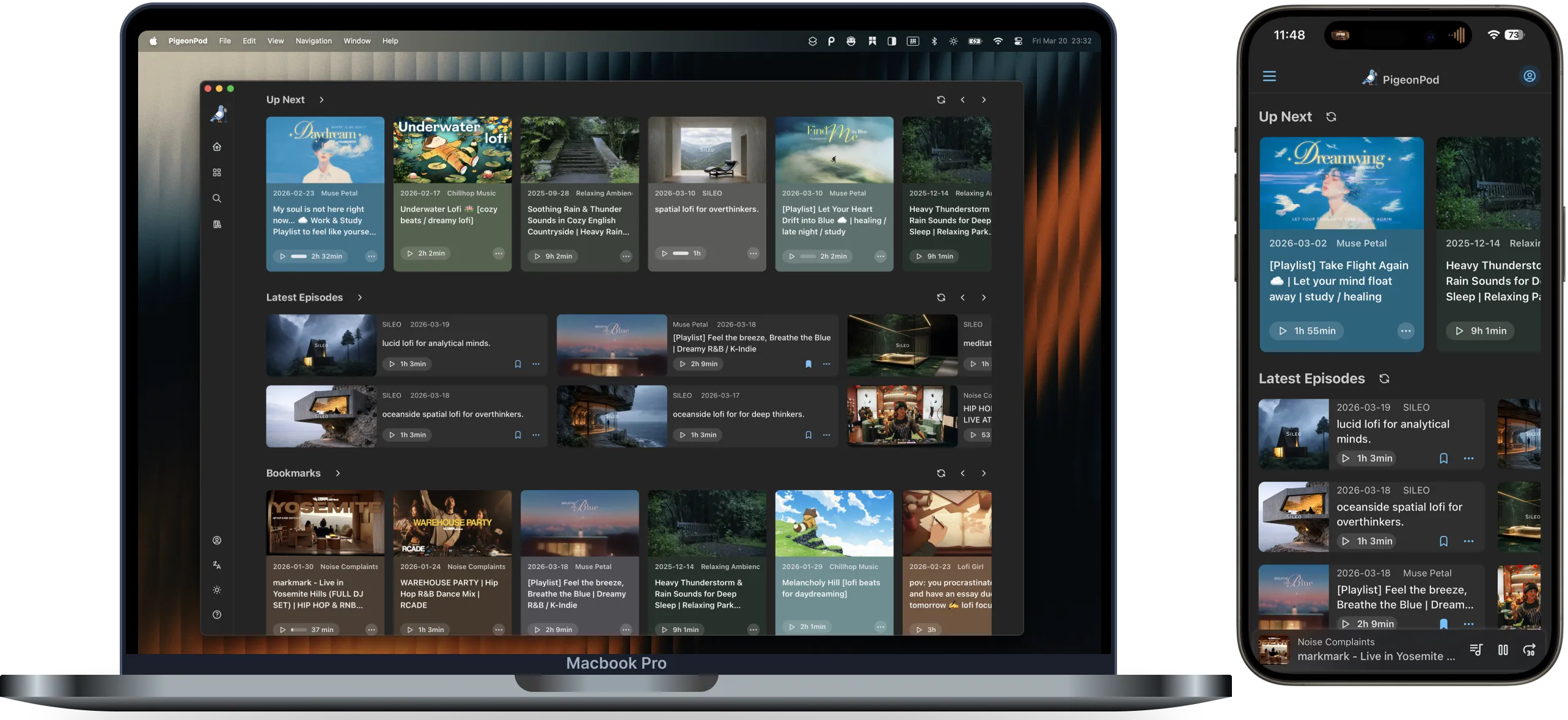
PigeonPod app shown on a MacBook and iPhone

Built for Real Listening

Screen-Free Catch-Up

Your favourite channels keep updating, but catching up on YouTube means finding time to sit and watch.

PigeonPod turns new uploads into a podcast queue, so you can catch up on your commute, walk, or while doing chores.

Listen away from the screen →

Long-Form Learning

Great explainers, interviews, and lectures are easy to save for later—and easy to never return to.

Follow the channels you learn from in your podcast app, and turn spare moments into time for deeper ideas.

Build a learning feed →

Daily Briefings, Not Endless Feeds

News and commentary move fast, but Shorts and recommendations pull you away from the updates you came for.

Follow the voices you trust in any podcast app. PigeonPod syncs new long-form episodes automatically and skips short clips by default.

Make your feed calmer →

Powerful features, elegant experience

Smart Channel Subscription

Quickly add channels via YouTube channel or playlist URLs.

RSS Podcast Subscription

Generate standard RSS links compatible with any podcast client.

Auto Sync Updates

Automatically check and incrementally sync latest content.

Content Filtering

Keyword include/exclude and episode duration filters.

Ad-Free Listening

Automatically removes YouTube ads from the beginning and middle of episodes.

Privacy & Security

We don't need your YouTube account, just the channel URL.

How it works

1

Search for any channel

Type the name of a YouTube channel or playlist, or paste a direct link if you prefer.

2

Get your private RSS feed

PigeonPod instantly converts the channel into a standard podcast RSS feed that stays in sync automatically.

3

Listen in your favorite app

Add the feed to Apple Podcasts, Pocket Casts, or use our Web Player to enjoy background playback.

Help Center

Setup walkthroughs, RSS troubleshooting, and web player help for turning YouTube into a podcast workflow.

Loved and Trusted by our users

2396

Channels converted

393610

Episodes processed

1785217

Successful syncs

With PigeonPod, I can finally listen to my favorite storytelling and music YouTube channels without annoying ads or keeping the screen on just for audio.

kosaph@X

After adding my favorite YouTube channels to Apple Podcasts with PigeonPod, it works perfectly with CarPlay. My car now has its own YouTube radio.

weliamns@Reddit

Every update has been shipped continuously. It keeps getting better. Keep going!

szguan@V2ex

This was exactly the thing I needed! Thank you for this great project. Got it up and running and working quickly.

muzzymate@Reddit

Simple pricing

Pro

$6.9 /month

For regular listeners with growing subscriptions.

Max

$10.9 /month

For power users who need high limits and advanced automation.

Frequently asked questions

Can I turn any YouTube channel into a podcast?

Yes! All public channels can be converted, except members-only content.

Is there a limit on video length?

No limit! Whether it's a 10-minute clip or a 3-hour show, it works perfectly.

How fast do new episodes show up?

Usually within 1 hour.

Which podcast apps are supported?

Our feed works with all podcast apps, including Apple Podcasts, Spotify, Pocket Casts, and more.

Can I listen offline?

Yes! Just download episodes in your podcast app like any regular podcast.

What's included in the Free plan?

The Free plan includes 1 channel subscription, up to 100 episodes for YouTube playlists, up to 3 individual episodes, and 1GB of cloud storage. It's perfect for first-time listeners.

What happens if I cancel my subscription?

You can delete your account to wipe all data, or simply pause — your channel list stays, and you can continue once you resubscribe.

Do I need to give you my YouTube login details?

No! Just provide the channel's Profile page URL or channel ID — we'll never ask for your account password.

Changelog

Follow separate OP and SaaS release tracks in one public changelog.

Changelog

OP / Self-hosted

GitHub-backed releases for the open-source and self-hosted product line.

2026-06-05

Multi-user Support & Role-Based Access

Introduced multi-user capabilities with role-based access control (RBAC), built-in SSL support, and improved YouTube sync stability.

2026-05-27

Playlist Sync Control & Download Stability

Adds per-playlist sync interval control and makes YouTube playlist sync and downloads less likely to get stuck.

2026-05-03

Enhanced Sync Speed & Task Visibility

Switched to YouTube Data API for faster playlist synchronization and added retry visibility to the task dashboard.

SaaS / Cloud

Hosted product rollout notes and cloud-only changes for pigeonpod.cloud.

2026-09-28

Sunsetting Bilibili Support, Better Podcast App Compatibility, and Livestream Filters

PigeonPod Cloud has discontinued Bilibili import and sync support (retained in the open-source version); improved M4A podcast client compatibility, added archived livestream filters, and launched Spanish localization.

2026-09-19

More Reliable Downloads and Full Feed History on Desktop

Load a Feed's complete accessible history on desktop, with more reliable YouTube downloads and Bilibili syncing plus a simpler account entry point.

2026-08-28

More Reliable YouTube Syncs and a Faster Library

Improved YouTube episode preparation and playlist syncing, sped up library browsing, and strengthened subscription billing updates.

See all releases

Built with Transparency

Core product updates, code visibility, and privacy commitments are all publicly accessible.

Send a message